dtElection vs When2meet: Which Scheduler Is Better in 2026?
When2meet has been a staple for group scheduling, especially among students and casual groups. But how does it stack up against modern alternatives like dtElection? Let's compare.
Quick Comparison
| Feature | dtElection | When2meet |
|---|---|---|
| Account Required to Vote | No | No |
| Account Required to Create | Yes (free) | No |
| Mobile-Friendly | Yes (PWA) | Limited |
| Ads | None | Yes |
| Modern UI | Yes | Dated |
| Location Support | Yes (with maps) | No |
| Maybe Option | Yes | No |
| Anonymous Voting | Yes | Names always shown |
| Event Discovery | Yes | No |
| Time Zone Support | Full support | Basic |
When2meet Overview
When2meet is a free, no-frills scheduling tool that's been around for years. It's known for its simplicity and the fact that no account is required to create or vote on polls.
Pros of When2meet
- Completely free - No premium tier, no paywalls
- No account needed - Anyone can create a poll instantly
- Simple concept - Click and drag to mark availability
- Fast setup - Create a poll in under a minute
Cons of When2meet
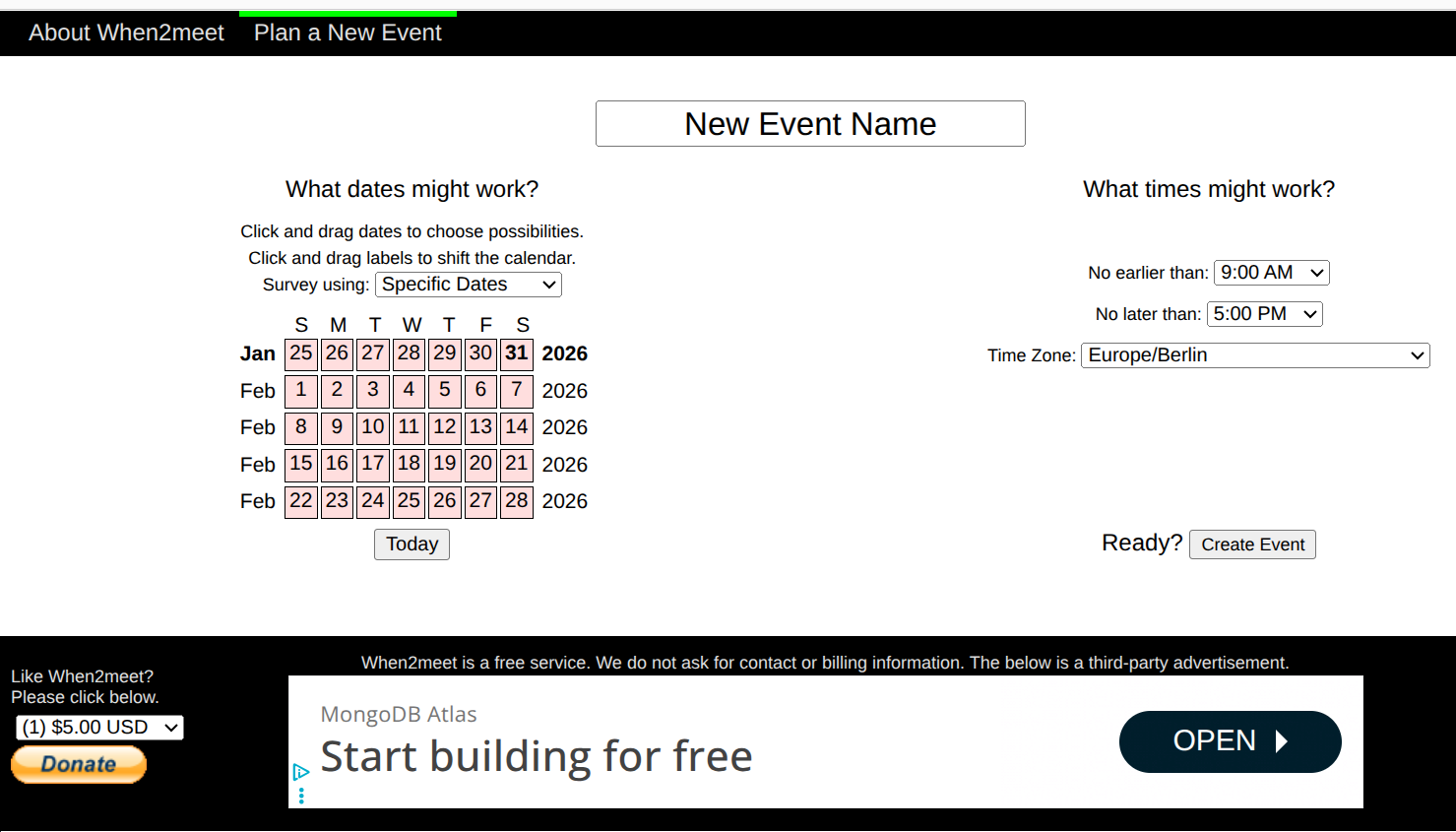
- Dated interface - Looks like it was built in 2005 (because it was)
- Poor mobile experience - Click-and-drag doesn't work well on touch
- Ads everywhere - Banner ads and pop-ups
- No location support - Can't specify where the meeting will be
- Limited settings - No anonymous voting, no maybe option
- Names always visible - No privacy for participants
When to Use When2meet
When2meet works best for quick, informal scheduling where you don't care about polish or privacy — like coordinating a casual hangout with friends who are all on desktop computers.
dtElection Overview
dtElection is a modern, privacy-focused scheduling tool that combines the simplicity of When2meet with professional features and a clean, mobile-friendly interface.
What Makes dtElection Better
- Mobile-first design - Works beautifully on phones and tablets
- No ads - Ever. For anyone.
- Privacy options - Anonymous voting so participants can't see each other
- Maybe responses - Not just yes/no, but "maybe" for tentative availability
- Location with maps - Add a venue with visual map picker
- Event discovery - Find and join public events nearby
Trade-offs
- Account required to create - Unlike When2meet, you need a free account to create polls (voting is still account-free)
Feature Deep Dive
Mobile Experience
This is where dtElection shines compared to When2meet.
When2meet uses a click-and-drag grid that:
- Doesn't work properly on touchscreens
- Requires precise mouse movements
- Can accidentally unselect times when scrolling
dtElection is built as a Progressive Web App (PWA):
- Touch-optimized tap interface
- Can be installed on your home screen
- Works offline for viewing polls
- Responsive design adapts to any screen size
Privacy Features
When2meet:
- Everyone can see everyone's name
- No anonymous option
- Names are required to vote
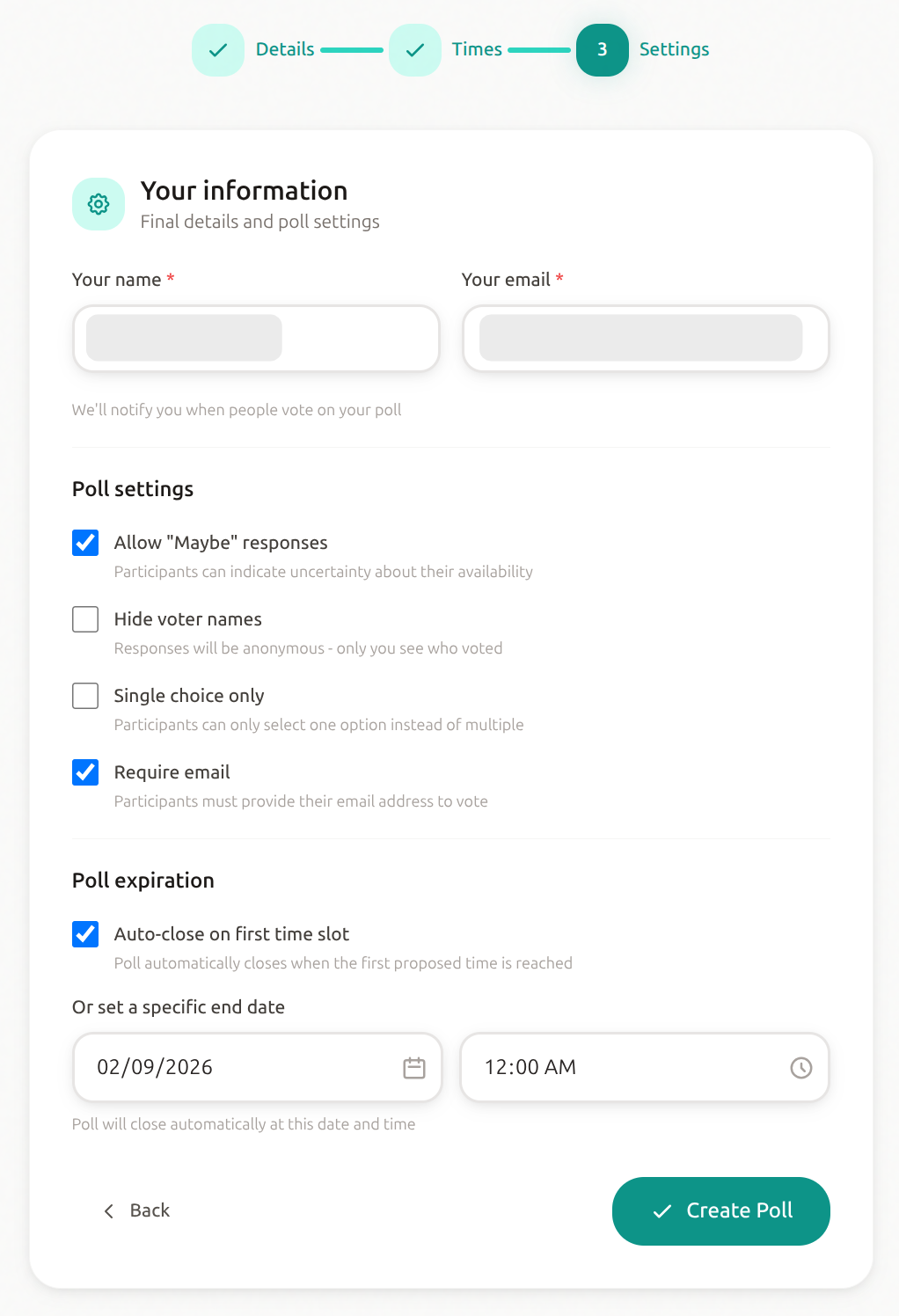
dtElection:
- Anonymous voting hides participant names from each other
- Only the poll creator can see who voted
- Option to require or not require email addresses
Visual Design
Let's be honest — When2meet looks like it's from another era.
When2meet:
- Green/gray color scheme from the 2000s
- Cluttered interface with ads
- Small, hard-to-read text
- No dark mode
dtElection:
- Clean, modern design with Tailwind CSS
- Large, readable fonts (Sora + DM Sans)
- Supports system theme preferences
- Professional appearance suitable for business use
Location Support
When2meet: None. You can only add a text description.
dtElection: Full location support with:
- Address search (geocoding)
- Interactive OpenStreetMap
- Coordinates stored for map display
- Location shown to participants with clickable map
Response Options
When2meet:
- Binary: Available or not available
- No way to indicate "maybe" or "prefer not to"
dtElection:
- Three options: Yes, No, Maybe
- "Maybe" can be enabled/disabled per poll
- Visual distinction in the voting grid
The Verdict
Choose dtElection if you:
- Will be scheduling on mobile devices
- Want a clean, ad-free experience
- Need privacy features like anonymous voting
- Want to specify a location for meetings
- Prefer modern, professional-looking tools
Choose When2meet if you:
- Need to create polls without any account at all
- Are only scheduling with desktop users
- Don't need location, privacy, or mobile features
- Want the absolute simplest possible tool
Migration Is Easy
If you're used to When2meet, switching to dtElection is straightforward:
- Create a free account (takes 30 seconds)
- Click "New Poll"
- Add your time slots (similar interface to When2meet)
- Share the link with participants
The voting experience for participants is just as simple as When2meet — no account required, just click and vote.
Final Thoughts
When2meet earned its place as a go-to scheduler by being free and simple. But "simple" doesn't have to mean "dated" or "ad-filled." dtElection offers the same easy scheduling experience with a modern interface, mobile support, and privacy features that today's users expect.
Ready to try dtElection?
Create your first poll in under a minute - no credit card required.
Create a Poll